A guided ten-minute story

See one mosque, from welcome to daily operations.

Follow Markham Islamic Centre across the public website, the secure team workspace, and the setup experience that connects them.

01 · Community experience

Start where the community starts.

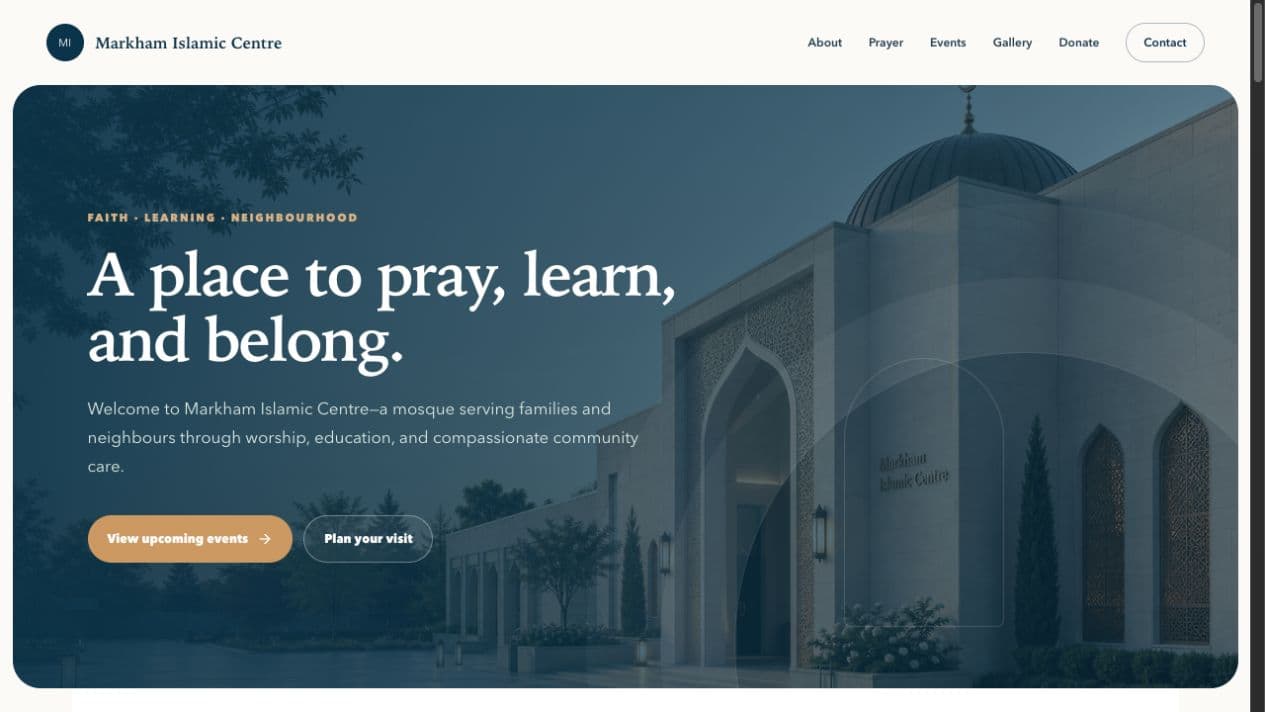
Visit Markham Islamic Centre as a neighbour looking for prayer times, a family choosing a program, or a young person registering for an event.

  • Mosque identity and welcome
  • Adhan, iqamah, and Jumu’ah times
  • Current programs, events, gallery, and donations
Presenter cueNotice that the mosque—not Masjid OS—is the brand.
Visit the mosque website
Markham Islamic Centre at dusk
03 · Adoption experience

Finish with how a mosque gets started.

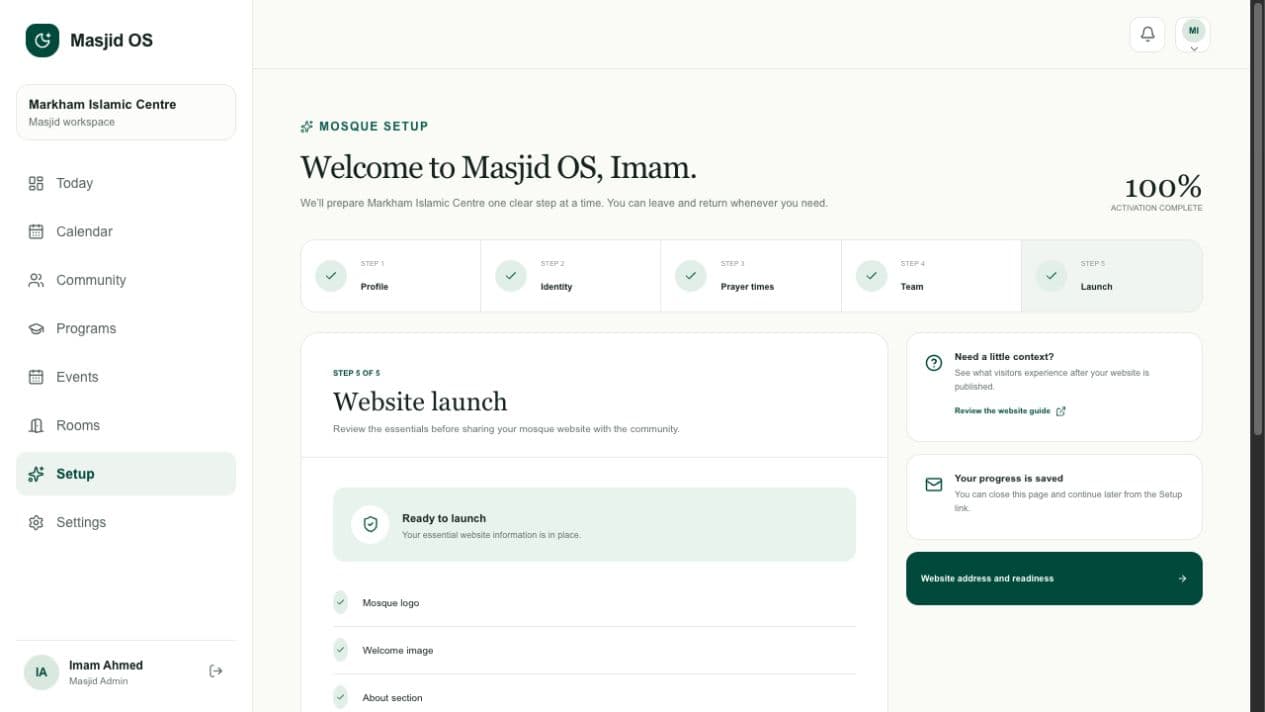
Show that a non-technical administrator can prepare the mosque profile, identity, prayers, team, member data, and public website without a technical implementation project.

  • Five-step guided setup
  • Team invitation status and permissions
  • Website readiness and launch checks
Presenter cueThe demo mosque is complete; every check reflects real organization data.
Review guided setup
Masjid OS guided mosque setup showing complete launch readiness100% setup complete
The connected product

One story, carried through every screen.

Public information, registrations, members, programs, rooms, responsibilities, and setup all belong to the same mosque workspace.

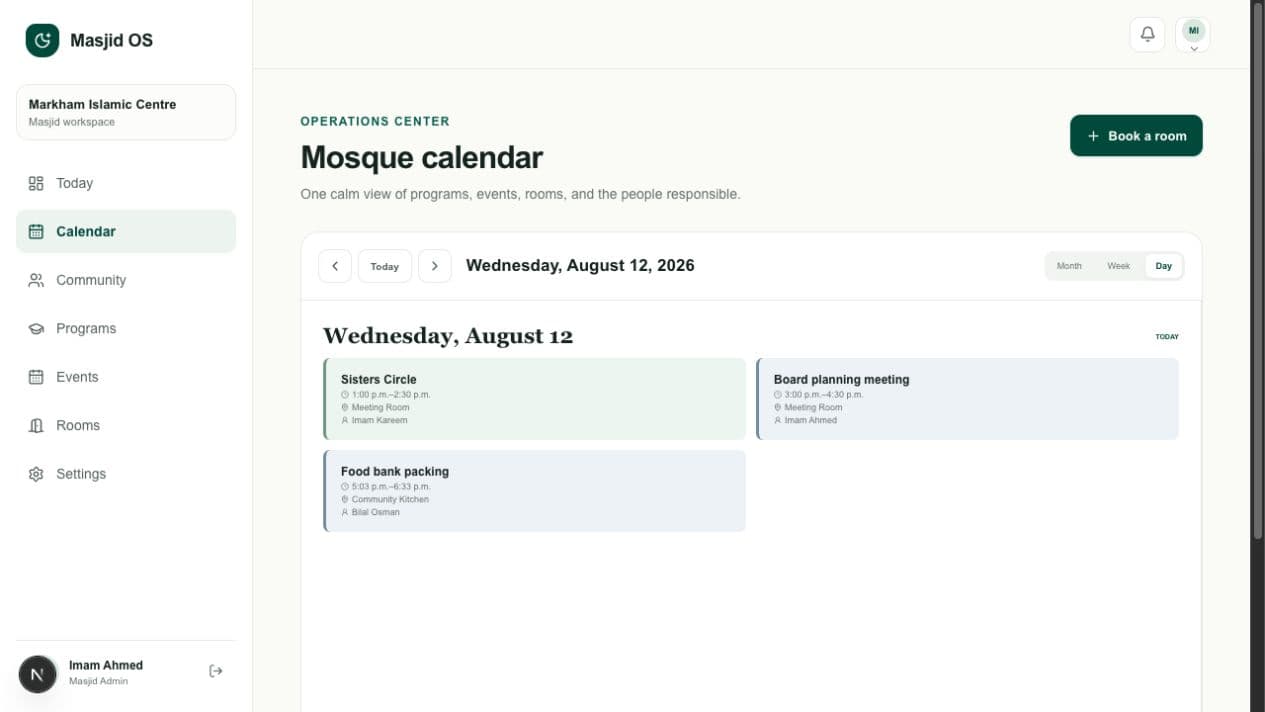
Masjid OS daily mosque schedule
Today viewPrograms, events, rooms, prayers, and responsibilities organized around the current day.
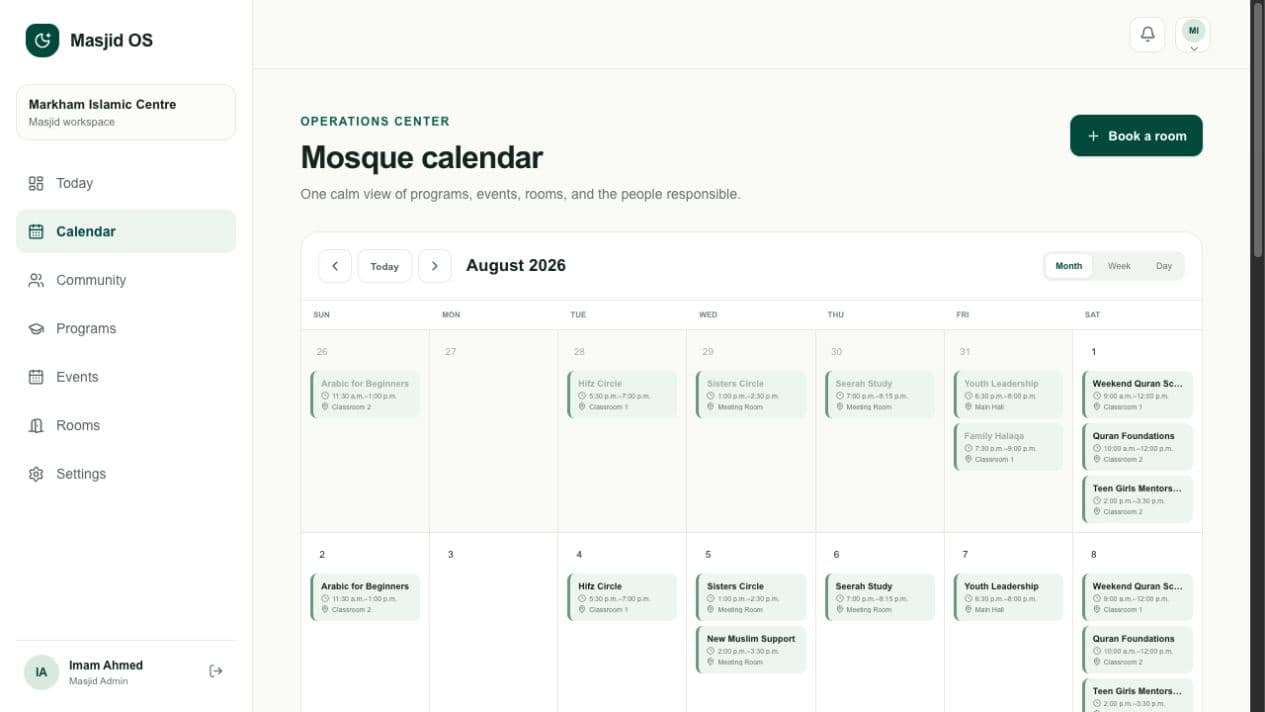
Masjid OS unified monthly calendar
Unified calendarMonth, week, and day planning across programs, events, sessions, and room bookings.
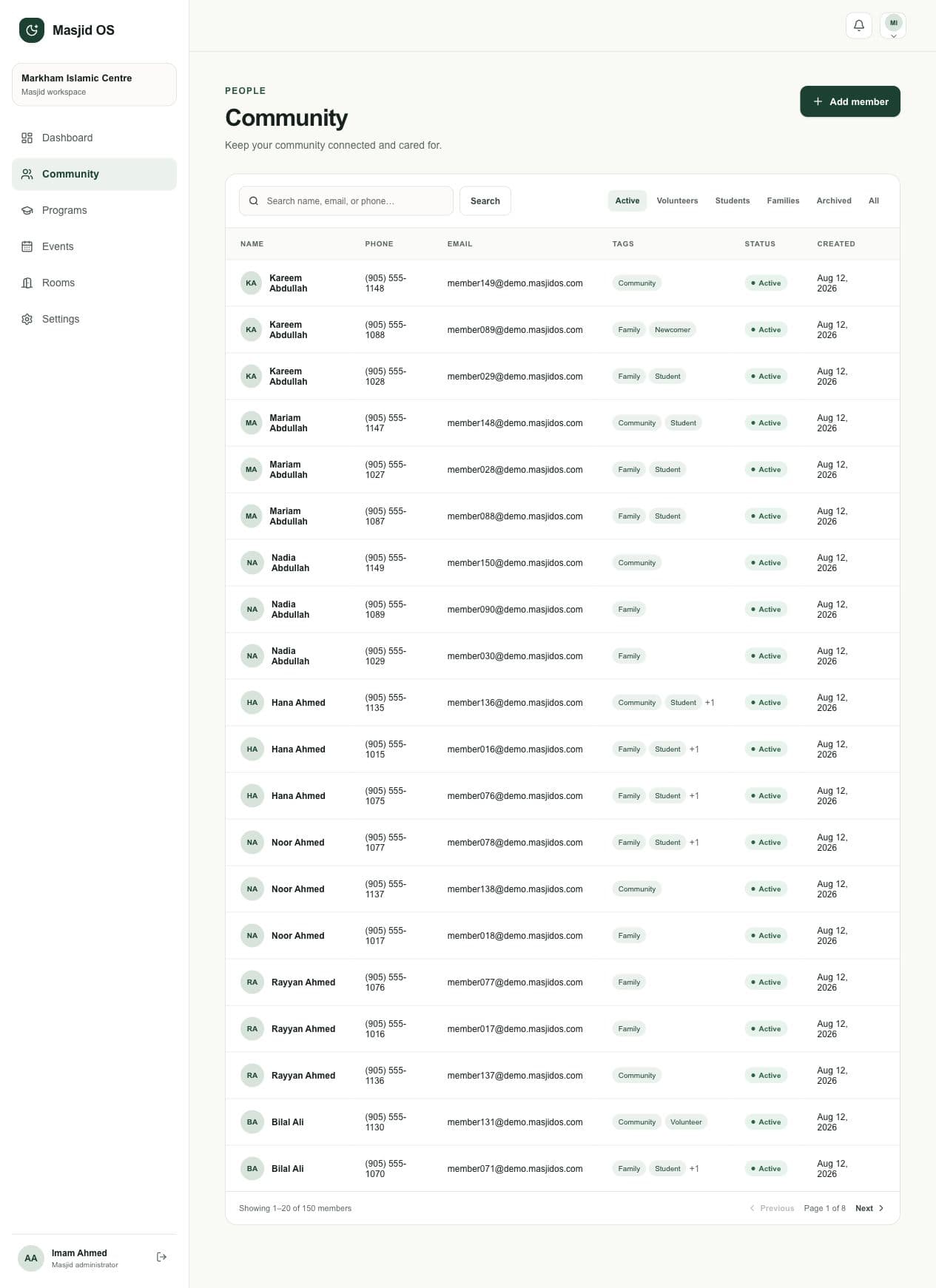
Masjid OS community member management
Community recordsSearchable member and family information with clear status, tags, and protected actions.
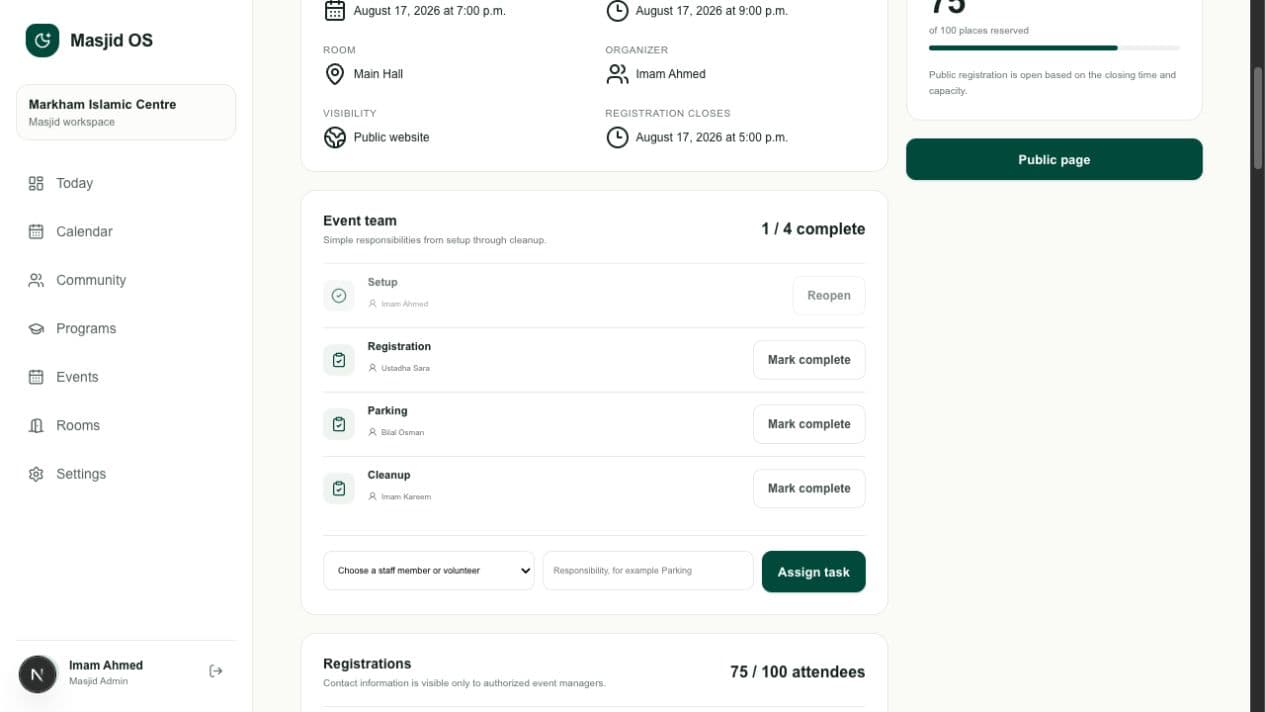
Masjid OS event management and staff assignments
Event teamRegistration, audience, room, and volunteer responsibilities connected to one event.
Masjid OS guided onboarding and website launch checklist
Guided mosque setupA calm path through mosque identity, prayer schedules, team access, and website launch readiness.
Questions mosque leaders ask

Clear answers before your first conversation.

Masjid OS should be understandable before you request a demo. These are the practical questions we hear from boards, imams, and administrators.

Do we need technical knowledge?

No. Masjid OS uses plain labels, guided forms, previews, and focused role-based screens. It is designed for mosque leaders and volunteers, not software specialists.

Can we use our own domain?

Yes. The public website architecture is prepared for mosque subdomains and custom domains, so your community can continue using an address that belongs to your mosque.

Can multiple administrators use it?

Yes. Each staff member has their own access, and permissions can reflect administrators, imams, teachers, and volunteers without sharing one password.

Can a small mosque use Masjid OS?

Yes. A smaller mosque can begin with the website and essential administration, then adopt additional workflows when they are useful. The product is not priced or designed around forcing unnecessary complexity.

How does sponsorship work?

A supporter or organization can help cover access for a mosque with limited budget. The mosque retains control of its information and identity; sponsorship does not create advertising access or ownership of community data.

A calmer way to run your mosque

Ready to walk through it together?

Start with the public mosque experience, then use the prepared administrator account to follow today’s operations and finish with onboarding.